Multi-monitor desktop reading
Arrange series across monitors, thumbnails, and viewports for efficient comparison and high-volume interpretation.
Full Windows desktop workstation for diagnostic reading rooms. Review local and PACS studies with multi-monitor layouts, MPR/3D tools, measurements, voice recording / dictation, DICOM Query/Retrieve, CD/DVD import, export, and printing — built for high-volume clinical use.
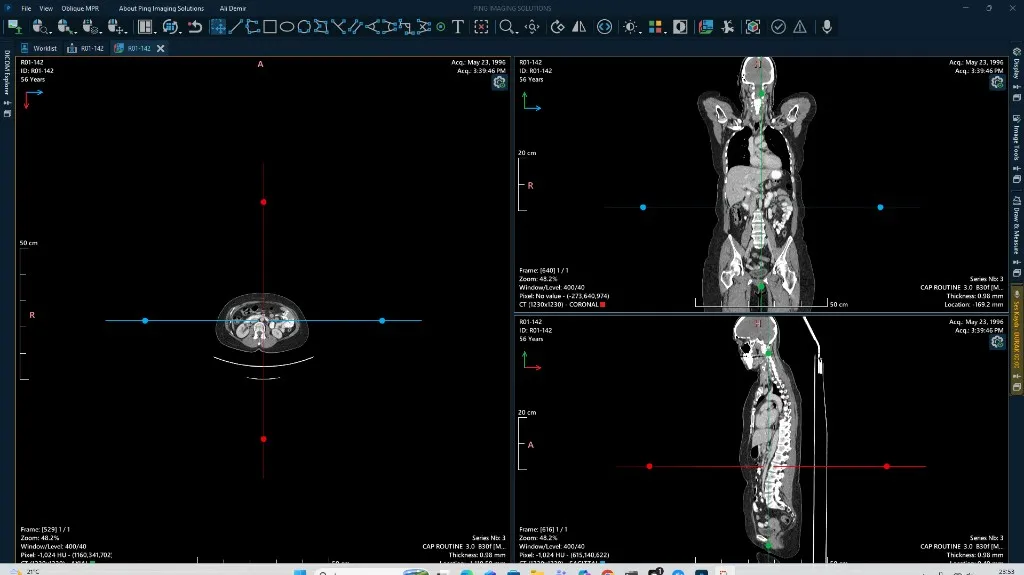
Desktop diagnostic tools for high-volume reading rooms.
Arrange series across monitors, thumbnails, and viewports for efficient comparison and high-volume interpretation.
Window/level, cine, measurements, annotations, ROI tools, MPR, and volume rendering for CT/MR and general radiology studies.
Act as a DICOM node with Query/Retrieve and Store so workstations participate directly in your imaging network.
Open local DICOM files, manage imported studies on the workstation, and keep reading responsive even when media is offline.
Export images or DICOM objects and mark key images to support referrals, teaching files, and report attachments.
Record voice notes during desktop reading and attach dictation to reporting or teleradiology workflows — optimized for high-volume reading rooms.
Print selected images and layouts for departments that still rely on film or paper output in clinical operations.
Designed for healthcare organizations that need reliable, scalable medical image management.
Equip diagnostic displays with a dedicated Windows client for fast scrolling, multi-monitor layouts, and advanced visualization.
Import outside studies from CD, DVD, USB, or DICOMDIR and review them alongside PACS priors on the same workstation.
Query/retrieve from Cloud PACS, On-Prem PACS, or DICOM Server, and send selected studies when clinical workflows require it.
Local media handling and DICOM node policies for reading rooms.
Import from CD/DVD/USB with audit-friendly study handling on the workstation.
Configure AE titles, Query/Retrieve, and Send destinations per site policy.
Protect reading-room workstations with user authentication and idle lock options.
Tell us about your sites, volume, and requirements — we'll prepare a custom quote.
Use Workstation with PING DICOM archives and standard DICOM services.
Deploy Windows DICOM Workstation for desktop diagnostic workflows, and keep Web Viewer for instant browser access across your network.