Centralized DICOM archive
Store and manage studies with DICOM Store / Query / Retrieve, lifecycle policies, and long-term retention options.
Centralize medical imaging across your entire healthcare network. PING DICOM Cloud PACS provides secure archiving, rapid retrieval, and seamless integration with existing clinical systems.
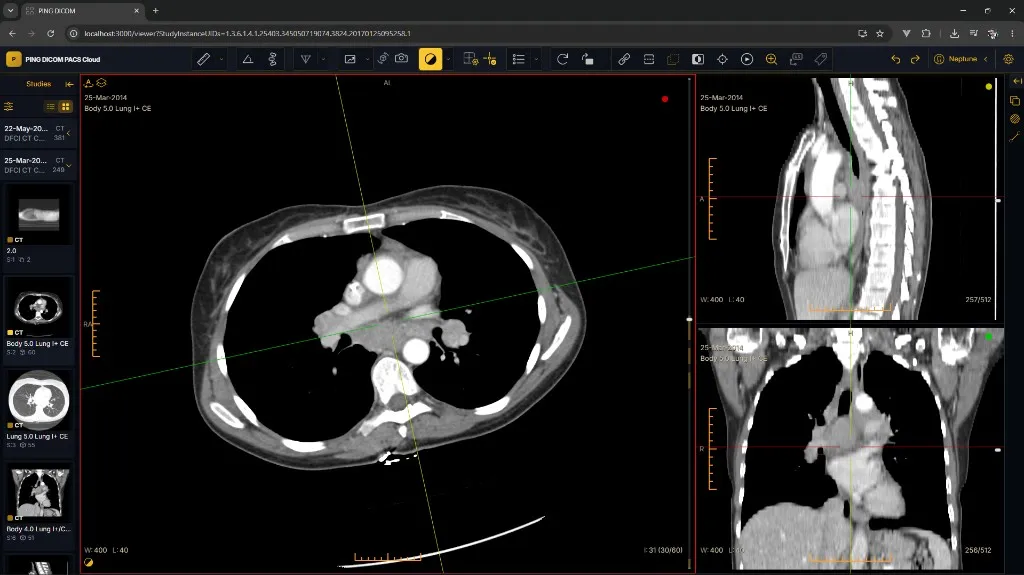
Archive, worklists, sharing, and multi-site administration in one cloud platform.
Store and manage studies with DICOM Store / Query / Retrieve, lifecycle policies, and long-term retention options.
Prioritize unread studies, auto-fetch priors, and keep radiologists focused on the next clinically relevant case.
Share time-limited study links with institutions, referring physicians, or guests — with full audit trails.
Manage locations, modalities, and user roles from one console while keeping local workflows intact.
Encryption in transit and at rest, RBAC, and detailed access logs designed for HIPAA and GDPR environments.
Elastic capacity, geographic redundancy, and a 99.95% uptime SLA so imaging stays available when clinics need it.
How teams use Cloud PACS day to day — from ingest and archive to secure sharing across patients, clinicians, and institutions.
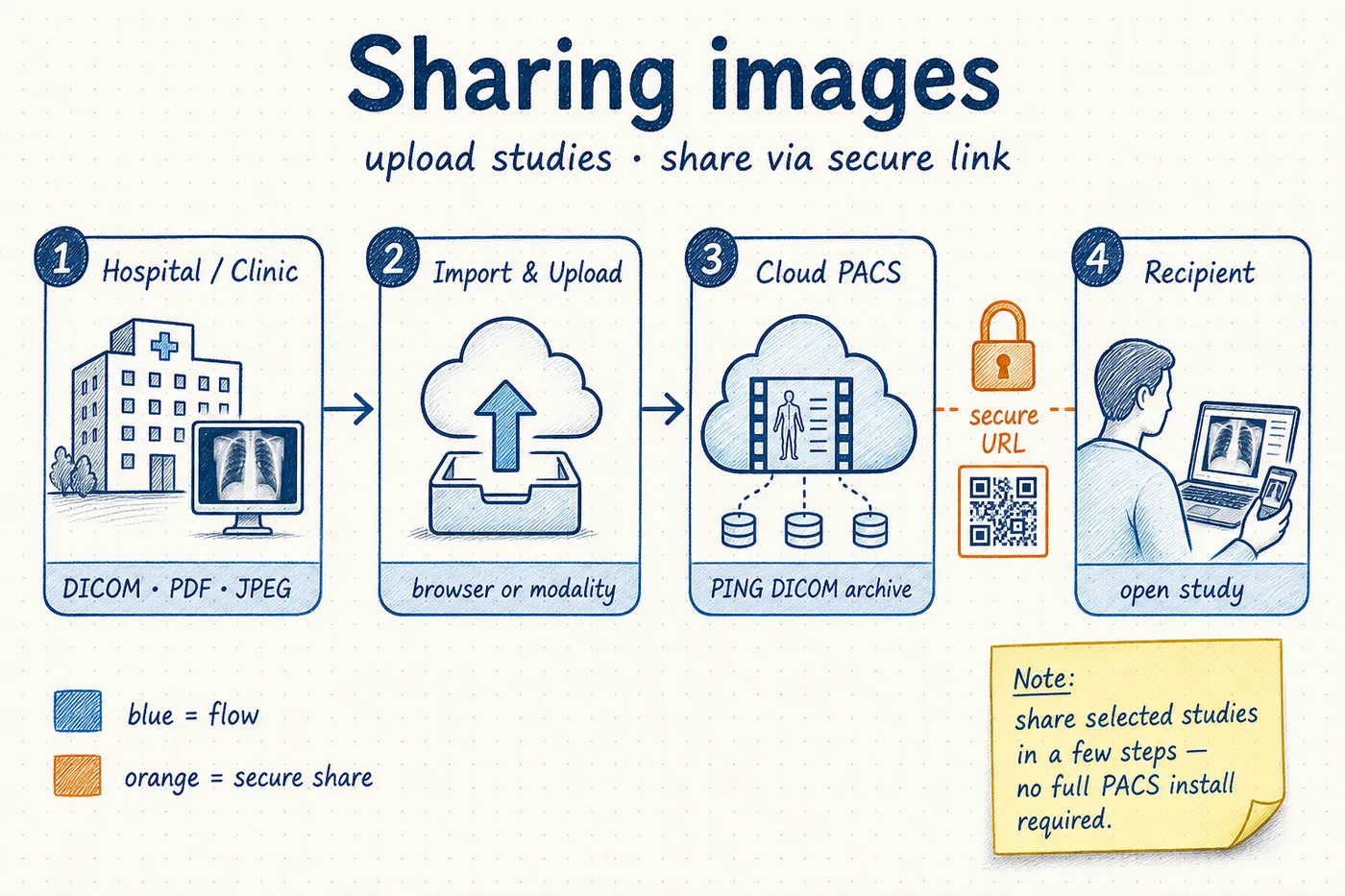
Import DICOM studies from modalities or upload DICOM, PDF, JPEG, PNG, and BMP files in the browser. Share selected studies in a few steps via secure URL — so referring physicians and partners can open imaging without a full PACS install.
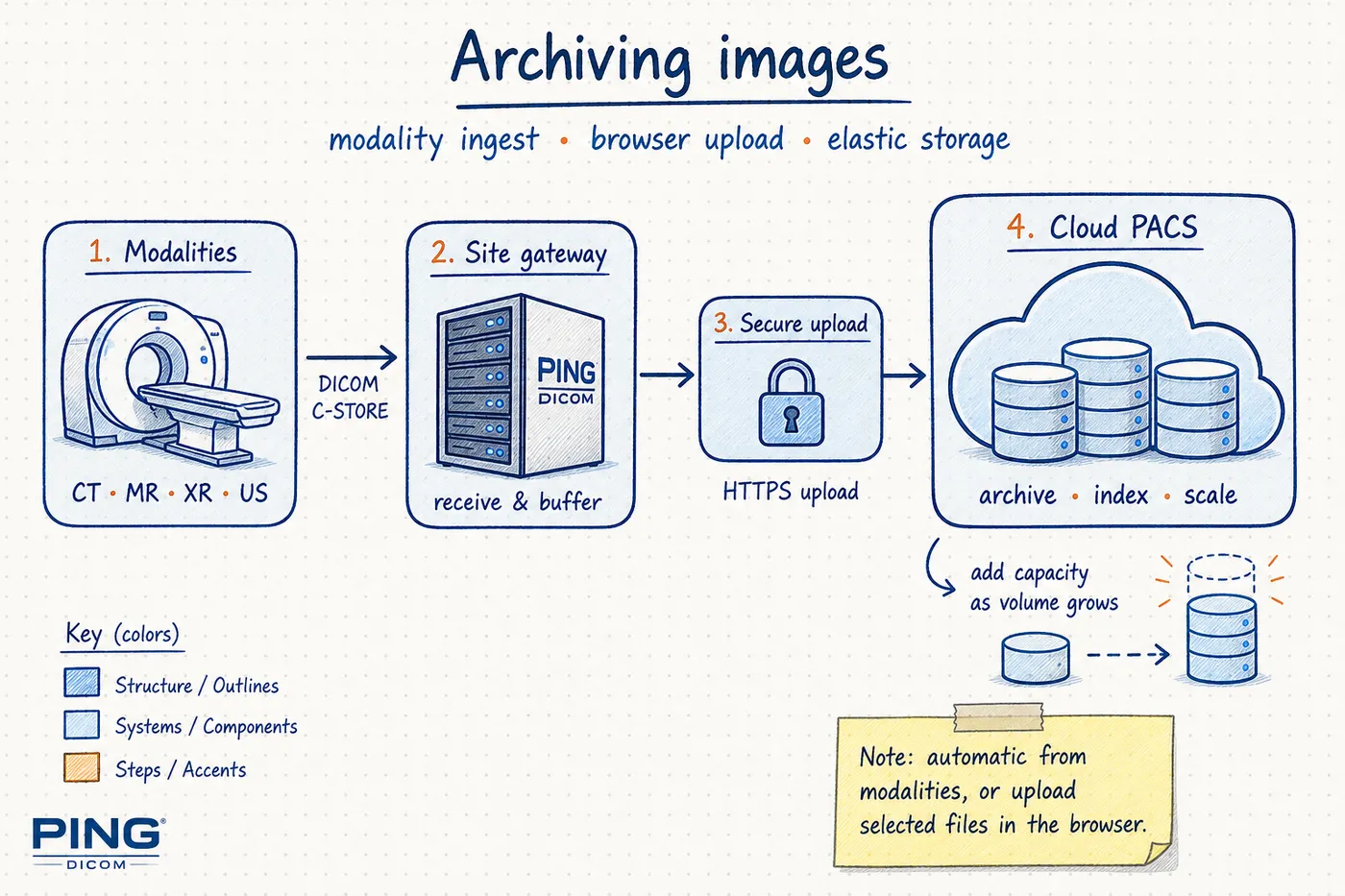
Have modalities send studies automatically to the cloud archive, or upload selected files from a browser when needed. Storage scales as volume grows, so you expand capacity without rebuilding local servers.
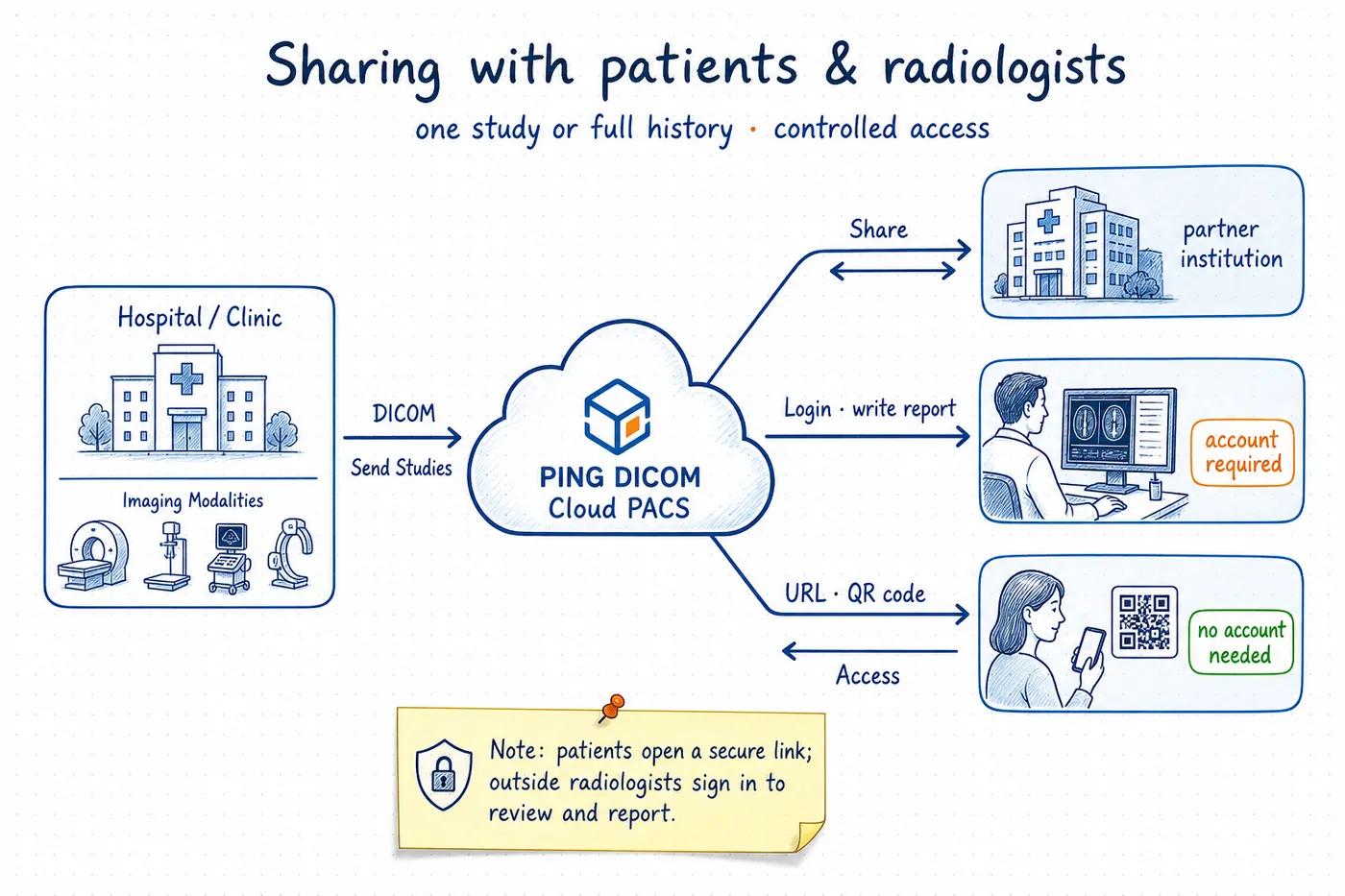
Share a single study or a patient’s full imaging history with a few clicks. Patients can open a secure link without creating an account. Outside radiologists use an account when they need to review studies and write reports.
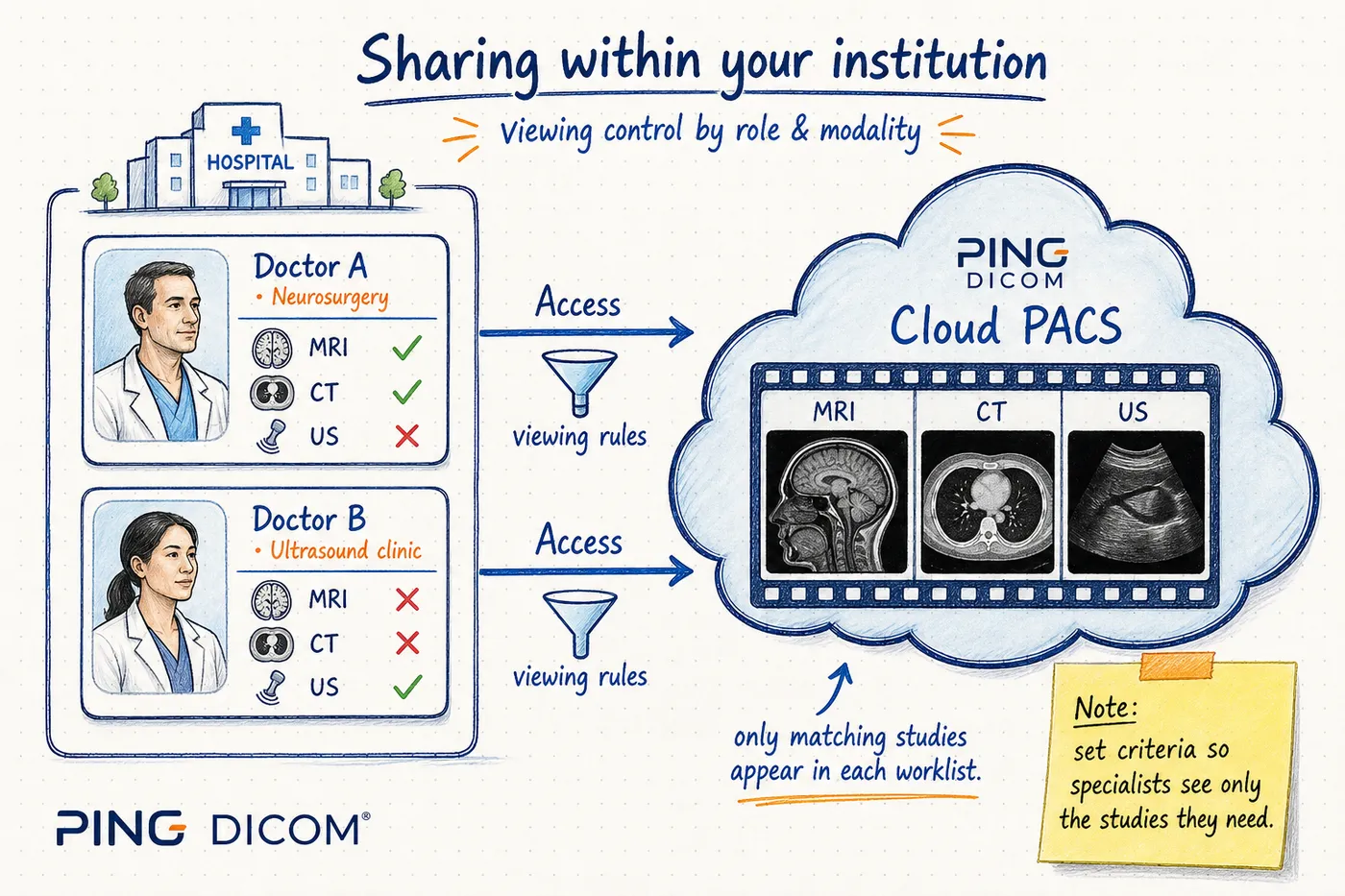
Use viewing controls so users only see studies that match their role or specialty. For example, allow neurosurgery to access CT and MR studies while keeping other modalities out of that worklist.
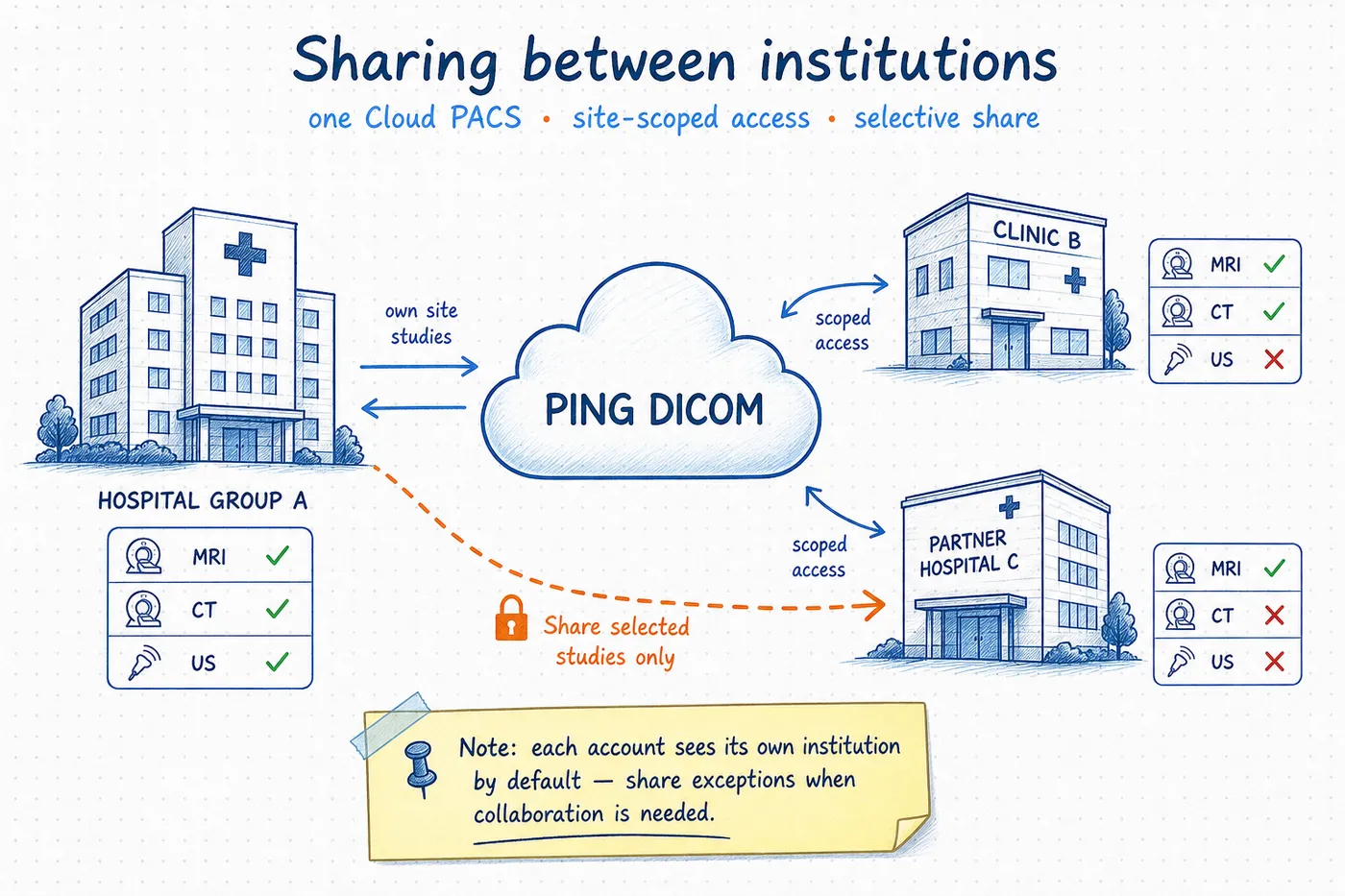
Run one Cloud PACS across a hospital group and scope each account to studies from its own site. When collaboration is needed, share specific studies with another institution — without opening the entire archive.
Encryption, RBAC, and study-sharing policies for cloud imaging.
Protect studies across upload, storage, and viewer retrieval paths.
Time-limited URLs, institution scopes, and guest access with audit trails.
Roles and viewing rules per location, department, and modality.
Tell us about your sites, volume, and requirements — we'll prepare a custom quote.
Connect Cloud PACS to the systems your clinical and IT teams already rely on.
See how PING DICOM Cloud PACS centralizes studies, accelerates retrieval, and simplifies multi-site imaging operations.